

Graphic LCD Display Manufacturer Selection Criteria for Industrial Applications
2026-08-19
Industrial environments demand graphic LCD displays that can withstand extreme temperatures, vibration, and long operating hours—yet the real challenge often lies not in the display itself, but in choosing a manufacturer who understands these constraints. The selection criteria go far beyond pixel resolution and interface options: you need to evaluate ruggedness, longevity, supply chain reliability, and customization support. A trusted partner like Jingda-Display can help you navigate these choices with confidence, but first you need to know what to look for. In this post, we break down the essential criteria for selecting a graphic LCD display manufacturer for industrial applications, from quality certifications to prototyping speed.
What Separates a Reliable Graphic LCD Supplier from the Rest?
A dependable graphic LCD supplier does more than ship panels that turn on. They keep tolerances tight across batches, so the contrast and viewing angle you approved in samples still hold when the five-hundredth unit arrives. That consistency comes from disciplined incoming inspection, documented process controls, and a refusal to substitute unapproved polarizers or driver ICs just to save a few cents.
What really sets them apart is how they handle problems. They ask about your display's operating temperature, backlight duty cycle, and mounting stress before quoting, not after you have a field failure. When something does go wrong, they trace the lot code, share the failure analysis, and adjust their process instead of blaming the assembly house. That level of ownership is rare, and it is the difference between a supplier who fills orders and one who protects your product's reputation.
The Overlooked Specs That Determine Display Longevity in Harsh Environments
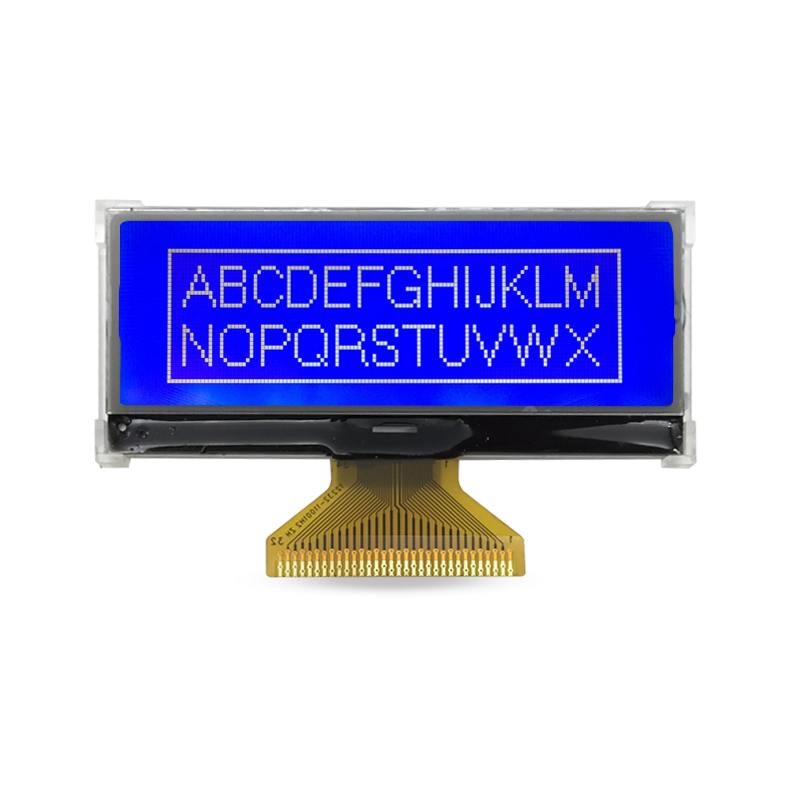
When engineers evaluate displays for deployment in extreme conditions, they often fixate on headline figures like peak brightness or contrast ratio. But the real determinants of longevity in harsh environments are hidden in the margins of datasheets: sustained thermal cycling tolerance, the coefficient of thermal expansion between bonded layers, and how well the polarizer resists UV-induced degradation. A display rated for -30°C to 85°C might survive a brief cold soak, yet fail after months of daily expansion and contraction that delaminate the backlight diffuser or crack solder joints on the driver IC. These cumulative micro-stresses—not a single catastrophic shock—account for the majority of field replacements in mining, offshore, and aerospace applications.
Another overlooked spec is the seal integrity under cyclic pressure differentials. Ingress protection ratings like IP65 are tested statically, but real-world enclosures breathe with altitude changes, temperature swings, and vibration. Displays that rely on simple gasket compression lose their seal over time as polymers take a compression set, allowing moisture and corrosive gases to creep between the cover glass and LCD cell. The resulting fogging or electrode corrosion doesn't happen overnight; it emerges after thousands of hours, precisely when the equipment is expected to be at its most reliable. Specifying a display with bonded optical stacks and redundant perimeter sealing—while paying attention to the specified seal material's compression set at elevated temperatures—can double or triple operational life without changing any visible performance metric.
Finally, the longevity of LED backlights in high-ambient-temperature settings is rarely predicted by typical lumen-maintenance curves. Most manufacturers quote L70 lifetimes at 25°C, but at 70°C ambient, the junction temperature can spike well beyond recommended limits unless the display includes thermal derating or active cooling. The difference between a backlight designed with a generous heat-spreading substrate and one that relies on a thin FR4 board is the difference between a display that lasts six months and one that lasts six years in a desert solar farm. Engineers who dig into the thermal resistance from LED junction to ambient, and verify that the specified drive current leaves headroom for temperature derating, will avoid the silent killer of display longevity: premature phosphor degradation and epoxy yellowing that gradually dims the screen until it becomes unreadable in sunlight.
How to Vet a Manufacturer’s Quality Control Without Visiting the Factory
You can still get a reliable read on a factory's quality control from a distance, but it takes more than a polite email asking about their inspection process. Start by requesting detailed, recent QC reports from the production lines that would actually make your product—not generic certificates. Ask for the specific sampling plan they follow (for instance, AQL levels), what happens when a batch fails, and how they trace defects back to a root cause. If the answers are vague or they keep pointing you to polished marketing materials, treat that as a warning sign. Equally telling is how they document deviations: ask for a real example of a non-conformance report and the corrective action they filed afterward.
Another angle is to talk to someone on the factory floor through a live video walkthrough. Instead of a pre-recorded tour, ask for a scheduled call where you can see the QC stations, the incoming material inspection area, and the finished goods quarantine zone. Pay attention to whether gauges and test equipment have visible calibration stickers, whether workers are following documented checklists, and whether the person leading the call can answer specific questions about tolerances or defect categories. If they hesitate to show that area or can't explain what "critical defect" means in their own process, that silence is informative.
Finally, use third-party audits or sample testing as your eyes on the ground. A reputable third-party inspection firm can perform an unannounced audit of the production line and report back on process control, not just final product quality. Combine that with a small pre-shipment sample sent to your own address or an independent lab for destructive or fit testing. The goal isn't to replace a physical visit entirely, but to assemble enough cross-checked evidence—documentation, live video, and independent verification—that you can make a confident call on whether their QC culture is real or just for show.
Why Backlight Technology Matters More Than You Think in Industrial Settings
In an industrial environment, visibility isn't just a convenience—it's a matter of precision and safety. Standard consumer displays often wash out under the harsh glare of overhead fixtures or become unreadable when sunlight streams through warehouse windows. High-brightness backlight technology solves this by delivering consistent luminance that keeps critical data legible from any angle, even when operators are wearing protective eyewear or standing several feet away from the screen. Without this level of clarity, misread gauges or delayed reactions to alarms can translate directly into costly downtime or workplace incidents.
Another overlooked aspect is how backlight quality affects long-term operator fatigue. Dim or unevenly lit panels force workers to squint or reposition themselves repeatedly, which adds up over a twelve-hour shift. A well-engineered backlight with uniform diffusion and adjustable intensity reduces eye strain and allows teams to maintain focus on the task rather than fighting the display. In settings where split-second decisions matter—like monitoring a conveyor line or adjusting chemical flow rates—this ergonomic advantage quietly improves both throughput and accuracy.
Finally, industrial backlighting must be durable enough to handle vibration, temperature swings, and continuous operation. Cheaper edge-lit designs often develop dead zones or flicker after months of 24/7 use, whereas robust direct-lit or locally dimmed backlights maintain their output for years. This reliability means fewer screen replacements, less maintenance labor, and a lower total cost of ownership—an argument that resonates with plant managers who measure success in uptime rather than initial purchase price.
Reading Between the Lines of a Graphic LCD Datasheet
A graphic LCD datasheet rarely spells out the real limitations upfront. You'll spot a mention of "wide viewing angle" but the contrast curves buried on page seven tell a different story—expect the display to wash out past 40 degrees off-axis. The same document will boast about a built-in controller, yet skimp on the exact timing diagrams for busy flag polling, leaving you to guess whether your SPI clock can actually push pixels fast enough for a fluid animation.
Pay attention to what's not in the electrical characteristics table. Thermal drift data, for instance, is often omitted, which means your contrast voltage that works on the bench might turn the screen into a ghost at -10°C. Likewise, the "typical" response time might look acceptable, but the maximum value hidden in a footnote could be three times slower—fine for a static dashboard, useless for a scrolling ticker. Those little asterisks and conditional footnotes are where the real part specs live.
Power consumption figures deserve extra scrutiny. A datasheet might list a modest active current draw, but check the fine print: that number often excludes the backlight or assumes a specific duty cycle. If you're running the panel at full brightness with all pixels lit, the actual pull can double or triple the headline figure. Reading between the lines means cross-referencing the absolute maximum ratings with the recommended operating conditions—if the margin is razor-thin, you're pushing the part harder than the vendor wants to admit.
From Prototype to Production: Questions to Ask Before You Commit
Moving from a working prototype to a full production system often feels like a natural next step, but the gap between the two can be wider than it looks. Before you commit, ask whether your prototype was designed to handle real-world edge cases, or just to prove a concept in a controlled demo. If your codebase is full of shortcuts, hardcoded values, and missing error handling, you are not ready for production—you are simply carrying technical debt forward.
Another critical question is whether your team has measured actual usage patterns and load expectations. A prototype that works for a handful of internal testers may collapse under concurrent requests, slow database queries, or unexpected traffic spikes. You need concrete data on how many users will access the system, what peak usage looks like, and which features are truly essential for the first release.
Finally, consider your operational readiness. Do you have monitoring, logging, and a rollback plan in place? Production is not just about writing code—it is about keeping a system healthy over time. If you cannot answer how you will detect failures, diagnose issues, and recover quickly, you are not ready to commit. The best prototypes become successful products only when the team has asked the hard questions before flipping the switch.
FAQ
Look beyond the datasheet and ask about their track record with similar industrial equipment. A supplier that has already delivered displays for factory automation or outdoor instrumentation is more likely to understand temperature swings, vibration, and long product life cycles. Request at least two references from clients whose operating conditions match yours.
It is not optional. Many industrial LCDs fail because they are rated for consumer temperature ranges. Demand a module specified for at least -20°C to +70°C, or wider if your device will be installed in unheated enclosures or direct sunlight. Ask the manufacturer for test data showing contrast and response time at the extremes.
Industrial products often stay in production for five to ten years. If a display is discontinued after two years, your whole design may need requalification. A trustworthy manufacturer will commit to a minimum availability period, often five years or more, and will notify you well in advance if a component must change.
Usually yes, if your interface, viewing angle, or mounting requirements are unusual. Customized glass, backlight color, and connector placement can reduce assembly steps and improve reliability. However, watch out for high non-recurring engineering fees. Ask for a clear breakdown of tooling costs and what happens to the tooling if you stop purchasing.
At minimum, look for ISO 9001 for consistent quality, and RoHS compliance. Depending on your industry, you may also need ISO 13485 for medical devices, IATF 16949 for automotive, or UL recognition for the display module itself. Do not accept self-declared compliance without supporting documentation.
Request samples and run your own accelerated life tests: thermal cycling between your expected minimum and maximum temperatures, humidity exposure, and vibration on a shaker table if your application involves moving machinery. A good supplier will share their own test reports and may even help you interpret failures.
You should get more than a datasheet. The engineering team should help with initialization code, voltage contrast tuning, and PCB layout recommendations for noise-sensitive industrial environments. A manufacturer that offers reference schematics and responsive application engineers can save you weeks of debugging.
Focus on total cost of ownership, not unit price. A cheaper display that fails in the field or requires frequent recalibration will cost far more in warranty claims and downtime. Ask the supplier about their field failure rate and what kind of quality screening each module undergoes before shipment.
Conclusion
Choosing a graphic LCD module for industrial use goes far beyond pixel count and outline dimensions. A dependable supplier usually separates itself through documented material traceability, long-term availability commitments, and a clear understanding of how the display behaves under thermal cycling, vibration, and continuous backlight operation. The specs that actually determine field life are rarely highlighted on the first page: maximum forward current derating curves, polarizer surface hardness, wide-temperature storage limits, and UV stability of the liquid crystal fluid. Without visiting the plant, you can still pressure-test a manufacturer by requesting first-article inspection reports, process capability data for key assembly steps, and evidence of ongoing reliability testing rather than one-time qualification samples. Pay attention to how candid they are about failure modes; a vendor who only shares marketing photos is less useful than one who can discuss FPC bond strength or LCD cell gap variation.
Backlight choice shapes readability and longevity more than panel specs suggest. LED array spacing, color shift over 50,000 hours, and thermal management around the light guide often decide whether a display remains legible on a sunlit control panel or inside a sealed enclosure. When reading a datasheet, verify whether contrast ratio and viewing angle are specified at the extremes of the operating range, not just room temperature. Ask whether the quoted response time reflects cold-start conditions and whether the claimed lifetime assumes maximum brightness or a dimmed setting. Before moving from prototype to production, confirm that the manufacturer can hold revision control, supply identical glass and driver ICs across batches, and provide notification windows for any process changes. Also clarify who owns the tooling, what minimum order quantities apply after first article approval, and how warranty claims are handled when a display fails after two years in the field. These practical checks matter more than any glossy specification sheet.
Contact Us
Contact Person: Vincent
Email: [email protected]
Tel/WhatsApp: 86 135 5485 1379
Website: https://www.jda-display.com/